
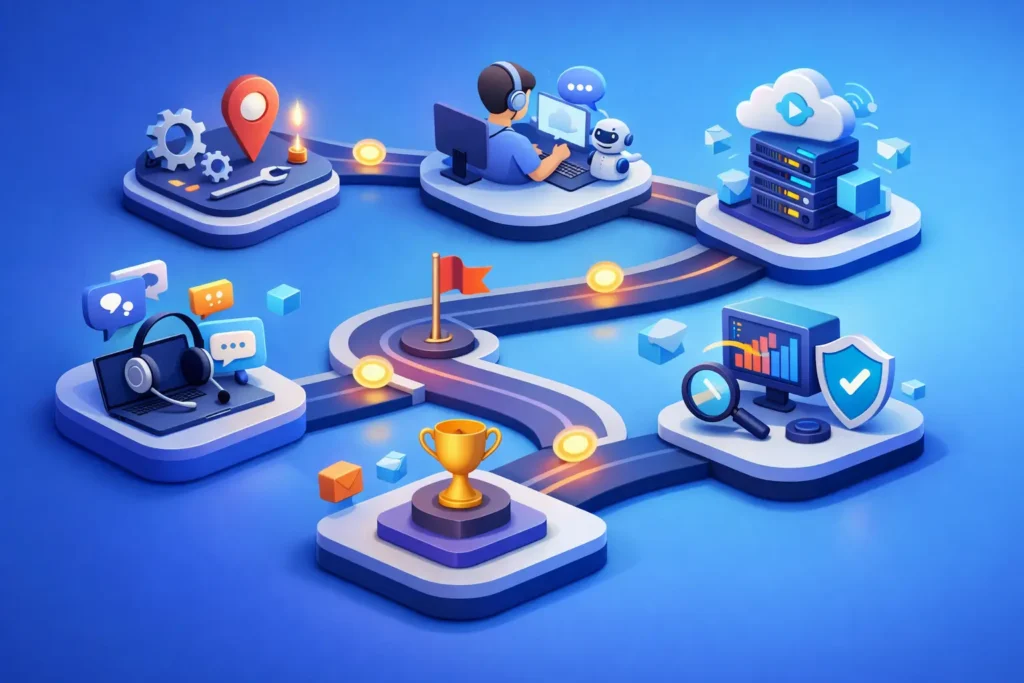
A customer support technology roadmap should begin with the work your team cannot complete reliably today. That may be agents switching between systems, customers repeating information, reporting that cannot explain ticket volume, or routing rules that no longer match the business. Technology decisions are more useful when they address these operational gaps instead of following a feature checklist.
For mid-sized and enterprise support organizations, the roadmap is not simply a plan to buy more tools. It is a structured view of how service operations, customer data, automation, AI, and governance will develop over time. It helps leaders make practical investment decisions while keeping the contact center stable during growth.
Why a Customer Support Technology Roadmap Matters
Support technology often grows in response to immediate needs. A new channel is added for a product launch. A chatbot is introduced to reduce volume. A reporting tool is added because standard dashboards do not answer leadership questions. Each decision may be reasonable on its own, but the combined environment can become difficult to administer, measure, and change.
A roadmap creates a shared direction for IT, CX, operations, and support leadership. It identifies which capabilities are needed now, which can wait, and what dependencies must be addressed first. For example, adding AI assistance before knowledge content is accurate and well governed may produce inconsistent answers. Expanding automation before forms and ticket fields are standardized can send work to the wrong teams faster.
The goal is not to automate every interaction. The goal is to make routine work easier, preserve context across customer journeys, and give agents the information needed to resolve complex issues.
Step 1: Assess the Current Support Environment
Start with an operational assessment, not a platform assessment. Review the full path from customer contact through resolution, including intake forms, email, messaging, voice, self-service, escalations, handoffs, and follow-up communications.
Look for measurable friction. Common examples include high transfer rates, repeated customer contacts, long first-response times, poor visibility into backlog, inconsistent categorization, and manual work that agents perform on every ticket. Review how many systems agents use during a typical interaction and whether each system has a defined purpose.
This assessment should also cover administration. Many organizations have accumulated inactive fields, outdated triggers, duplicate macros, unsupported integrations, and reporting definitions that vary by team. These issues are not minor housekeeping items. They affect automation accuracy, agent adoption, and leadership confidence in the data.
Document the current architecture, integrations, ownership, and known constraints. If Zendesk is the primary support platform, include configuration decisions that affect routing, permissions, knowledge management, service-level targets, and reporting. A clear baseline prevents the roadmap from being built on assumptions.
Step 2: Define Business Outcomes Before Selecting Features
Technology initiatives need operational outcomes that leaders can measure. “Improve customer experience” is a valid objective, but it is too broad to guide system design. Define what improvement means for the organization.
For a retail support team, the priority may be faster order-status resolution during seasonal volume. A healthcare organization may need stronger access controls, consistent documentation, and better routing for sensitive requests. A B2B software company may need better visibility into product issues and escalation patterns for strategic accounts.
Choose a limited number of outcomes for each planning period. These may include reducing customer effort, improving first-contact resolution, lowering cost per contact, increasing self-service success, reducing agent after-contact work, or improving adherence to service levels. Connect each outcome to a baseline metric and an accountable owner.
Trade-offs should be explicit. A strategy focused on ticket deflection may reduce incoming volume, but it can also frustrate customers if self-service content is incomplete or customers cannot reach a person when needed. Faster routing may improve response time while creating imbalanced workloads if skills and capacity are not considered. A roadmap should state these risks before implementation begins.
Step 3: Design the Target Support Architecture
The target architecture describes how core systems should work together. It does not need to prescribe every configuration detail, but it should define the role of each platform and the flow of key data.
Most support environments need a system of record for customer interactions, a knowledge management process, communication channels, identity and customer data integrations, reporting, and workflow automation. Depending on the business, they may also require telephony, workforce management, payment systems, order management, field service tools, or product analytics.
Avoid adding a separate tool for every gap. First determine whether the existing platform can address the need through configuration, native capabilities, or a controlled integration. A smaller, well-managed technology stack is generally easier to support than a collection of specialized tools with overlapping data and unclear ownership.
Data design deserves particular attention. Ticket fields, customer profiles, tags, categories, and reason codes should reflect decisions the organization needs to make. If agents do not understand why they must capture a field, the data quality will decline. If leadership cannot use the data to identify trends, the field adds effort without value.
Step 4: Prioritize Automation and AI Carefully
Automation should begin with stable, repetitive processes. Good candidates include routing based on request type or customer segment, service-level notifications, approvals, status updates, duplicate-ticket handling, and follow-up tasks after a case is resolved.
AI can support both customers and agents, but its role should be defined clearly. Customer-facing AI may help answer common questions, collect required details, guide customers to relevant content, and hand off conversations with context. Agent-facing AI may summarize conversations, suggest knowledge articles, classify requests, or identify likely next steps.
The quality of AI output depends on the quality of underlying content, data, and process rules. Before deploying an AI chatbot, review the knowledge base for accuracy, ownership, formatting, and coverage of high-volume requests. Establish escalation paths for low-confidence responses, complex cases, and customer requests to speak with an agent.
Measure automation by customer and operational impact, not only by volume deflected. A workflow that closes tickets quickly but drives repeat contacts is not delivering the intended result. Review containment rates alongside CSAT, reopen rates, transfer rates, and resolution quality.
Step 5: Build Governance Into the Roadmap
A support platform needs ongoing ownership after implementation. Without governance, temporary workarounds become permanent, workflows multiply, and no one can explain why a rule exists. The roadmap should define who can request changes, who approves them, how changes are tested, and how results are reviewed.
Governance also applies to knowledge content, AI prompts and sources, integrations, permissions, reporting definitions, and customer data. Assign named owners where possible. A knowledge article without an owner is likely to become outdated. A dashboard without agreed metric definitions can create competing versions of performance.
For organizations without dedicated platform administration, an on-demand administration model can provide continuity without adding a full-time role. The practical requirement is consistent stewardship: someone must maintain configuration standards, monitor platform health, and translate operational needs into controlled changes.
Step 6: Deliver the Roadmap in Phases
A useful customer support technology roadmap usually has three horizons. The first horizon addresses urgent operational risks and foundational cleanup. This may include workflow cleanup, standardized ticket fields, routing corrections, access reviews, basic reporting, and knowledge ownership.
The second horizon introduces capabilities that depend on that foundation, such as advanced automation, improved self-service, customer journey reporting, CRM integrations, and agent-assist tools. The third horizon focuses on scale, optimization, and more advanced AI use cases once the organization has reliable processes and trusted data.
Each initiative should include a business owner, technical owner, estimated effort, dependencies, success measures, and a change-management plan. Agent training should not be treated as a final launch task. Involve frontline teams early, test workflows with real scenarios, and use feedback to improve design before broad deployment.
Roadmaps should be reviewed quarterly. Customer expectations, product changes, staffing levels, and platform capabilities will change. The purpose of the document is to guide decisions, not to lock the organization into a plan that no longer fits.
A well-managed roadmap gives support leaders a practical way to improve service without creating more complexity. Start with the customer and agent friction that is visible now, establish ownership for the systems already in place, and make each technology investment earn its place in the operating model.