
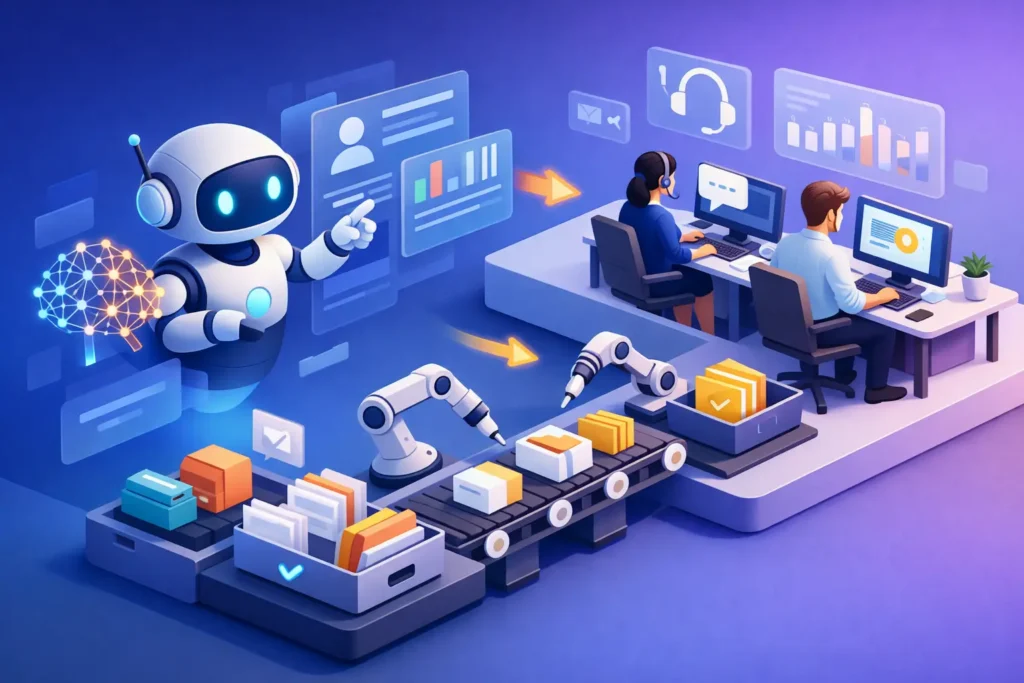
A support team with rising ticket volume usually does not fail because agents are underperforming. It fails because the system around them cannot keep up. AI support automation addresses that problem at the operating model level – routing, triage, self-service, agent assist, and reporting – so teams can handle more demand without adding the same level of overhead.
For mid-sized and enterprise organizations, that sounds straightforward. In practice, it rarely is. Most support environments already have overlapping workflows, legacy macros, inconsistent forms, and reporting that does not explain where effort is going. Adding AI on top of that can improve performance, but it can also amplify bad process design if the foundation is weak.
What AI support automation actually means
AI support automation is not just a chatbot on the front end. It is a broader support design approach that uses automation and machine intelligence to reduce repetitive work, route requests accurately, and help agents resolve issues faster.
In a mature contact center, that usually includes automated intake, intent detection, workflow triggers, knowledge recommendations, agent assistance, and prioritization logic. In Zendesk environments, it often extends into forms design, ticket fields, business rules, help center structure, and reporting layers that show whether automation is improving outcomes or simply moving work around.
That distinction matters. If automation only deflects simple tickets but creates more escalations later, the benefit is limited. If it reduces handle time, improves first-contact resolution, and gives leaders visibility into demand patterns, it becomes operationally meaningful.
Where AI support automation delivers the most value
The best use cases are usually the least glamorous. Password resets, order status checks, policy questions, account updates, and intake classification are common places to start because they are repetitive, rules-based, and high volume.
That said, the biggest value often appears one step behind the scenes. Smart routing can cut queue transfers. Better triage can prevent high-priority issues from sitting in a general inbox. Agent assist can recommend knowledge articles or draft responses while the agent focuses on judgment and tone. Automation at this layer does not replace support teams. It removes avoidable effort.
For larger organizations, another gain is consistency. Different agents may interpret requests differently, especially across regions, shifts, or outsourced teams. AI-supported classification and workflow logic can create more predictable handling without forcing every interaction into the same rigid script.
Why many automation projects underperform
Most failed automation efforts have a common issue: teams automate around symptoms instead of redesigning the workflow. If the intake process is unclear, the taxonomy is messy, or ownership between teams is undefined, AI will not fix that by itself.
A common example is chatbot deployment without knowledge management cleanup. The bot is expected to answer questions accurately, but the underlying help content is outdated, duplicated, or written for internal audiences instead of customers. The result is poor deflection and lower trust.
Another issue is fragmented governance. One team owns Zendesk administration, another owns operations, another owns digital transformation, and no one owns the full support journey. In that environment, automation becomes a set of disconnected tools rather than a coordinated service model.
There is also the problem of success metrics. Many teams measure containment or ticket deflection first because those numbers are easy to report. But lower ticket volume does not automatically mean better service. If customers abandon support because the experience is confusing, the metric looks better while the actual experience gets worse.
How to approach AI support automation in phases
A practical rollout starts with process visibility. Before adding new AI capabilities, teams need to understand contact reasons, repeat work, transfer patterns, resolution time by issue type, and the friction points agents deal with every day.
From there, the first phase should focus on structured inputs. Forms, categories, ticket fields, and routing logic need to reflect the real business. If customers submit vague requests into a generic queue, automation has very little to work with. Better intake design improves both self-service and agent workflows.
The second phase usually centers on high-volume automation. That can include chatbot flows for simple requests, workflow rules for repetitive tasks, and smart routing for specialized teams. The point is not to automate everything. It is to target interactions where consistency and speed matter more than human nuance.
The third phase is agent augmentation. This is where AI can have a strong impact without increasing customer risk. Suggested replies, article recommendations, summarization, and next-best-action prompts can reduce handling time while keeping agents in control of the final response.
The fourth phase is optimization. Once automation is live, performance needs regular review. Which flows are causing escalations? Which intents are misclassified? Which macros are still doing work that should be automated upstream? This is where ongoing Zendesk administration and reporting support become critical. Automation is not a one-time configuration task.
AI support automation in Zendesk environments
Zendesk gives organizations a strong operational base, but value depends on how the environment is designed. AI support automation works best when Zendesk is configured as a coordinated system rather than a collection of features.
That means ticket fields should support meaningful segmentation. Triggers and automations should follow a clear logic model instead of years of layered exceptions. Forms should gather just enough information to route accurately without creating friction. Knowledge content should map to real customer questions and be maintained with ownership.
For enterprise teams, governance is equally important. AI features need guardrails around confidence thresholds, escalation conditions, and reporting definitions. If one leader reports deflection based on bot containment and another reports it based on ticket avoidance, decision-making becomes unreliable.
This is one reason many organizations seek external support when scaling automation. The technical setup matters, but so do workflow cleanup, system governance, and measurement design. Blue Glass Solutions works in that space where Zendesk administration, AI strategy, and contact center operations intersect.
Trade-offs leaders should expect
AI support automation is not a pure efficiency play. It changes how work enters the system, how agents spend time, and how customers experience support. That creates trade-offs.
More automation can improve speed, but too much front-end containment can frustrate customers with urgent or unusual issues. Tight routing logic can reduce transfers, but if categories are too narrow, misrouted tickets can increase. Agent assist can boost productivity, but agents still need training to verify suggestions rather than accept them blindly.
There is also an organizational trade-off. Automation often exposes process gaps that teams have worked around for years. That can be uncomfortable, especially in environments with shared ownership across IT, support, operations, and CX. Still, that visibility is useful. It shows where manual effort has been compensating for poor design.
What good results look like
Strong results are usually visible in several places at once. Ticket volume may decline for simple issues, but the more important signal is that the remaining tickets are better classified and reach the right team faster. Agents spend less time gathering basic information and more time resolving actual problems.
Leaders should also see better reporting quality. Instead of a broad backlog number, they can identify which intents are growing, which automations are working, and where customers still need human support. That level of clarity makes staffing, process redesign, and technology investment decisions much easier.
Customer experience should improve too, although not always through dramatic changes. Often the benefit is that support feels more direct. Customers get faster answers for simple needs and quicker escalation for complex ones. The experience is less about novelty and more about reduced friction.
The right question to ask before investing
The question is not whether AI belongs in support. For most growing organizations, it already does. The better question is whether your current support operation is structured well enough for AI support automation to produce measurable gains.
If the answer is no, that is not a reason to wait indefinitely. It is a reason to start with architecture, governance, and workflow design before expanding automation. The teams that get the best results usually treat AI as part of support operations, not as a separate innovation project.
A useful next step is simple: look at where your team spends time on work that should not require human attention, then look at the system conditions causing it. That is often where the real automation opportunity begins.