
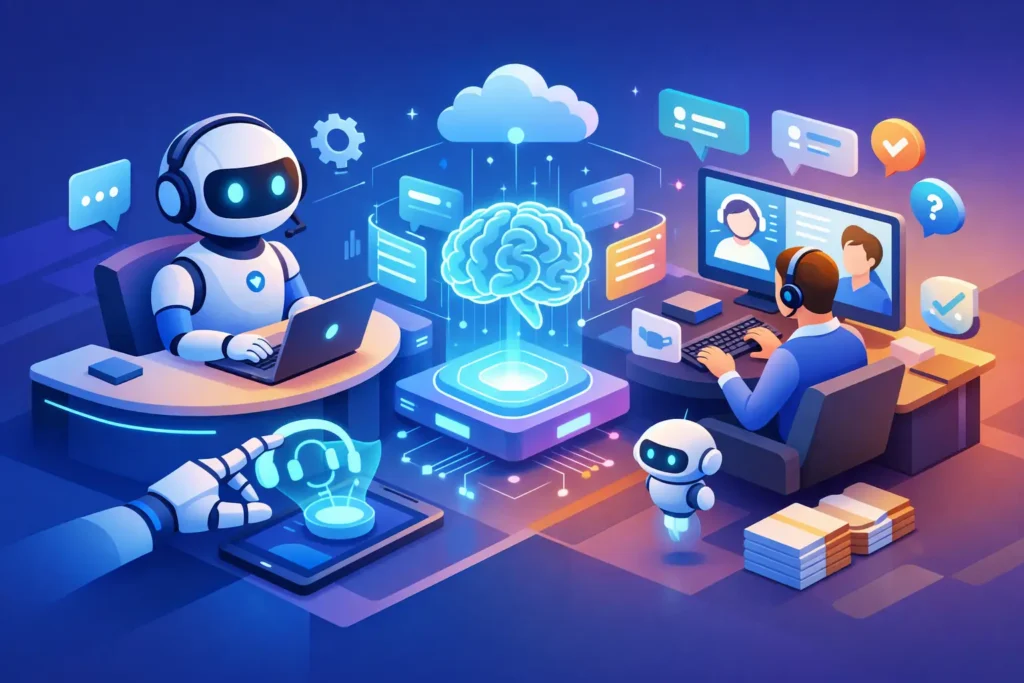
A support queue with rising volume usually does not fail all at once. It starts with slower first replies, inconsistent routing, repeat questions, and agents spending too much time finding the same answers. That is where an AI powered help desk starts to matter – not as a replacement for your team, but as a way to reduce manual effort and make service operations more consistent.
For mid-sized and enterprise organizations, the real question is not whether AI belongs in the help desk. It is where it fits, what it should automate, and what still needs human judgment. The difference between a useful deployment and an expensive distraction usually comes down to workflow design, knowledge quality, and platform governance.
What an AI powered help desk actually does
An AI powered help desk uses machine learning, automation, and language models to improve how support work is received, routed, answered, and analyzed. In practice, that can mean suggesting replies to agents, classifying tickets, powering chatbots, summarizing conversations, recommending knowledge base content, or identifying trends across support data.
That definition sounds broad because it is. AI in support is not one feature. It is a layer across the operation. Some companies start with customer-facing chat. Others begin with internal efficiency, such as auto-triage or agent assist. The right entry point depends on volume, channel mix, and how mature your help desk already is.
A common mistake is treating AI as a standalone purchase. Most support teams do not have an AI problem. They have a process problem, a content problem, or a systems problem. AI can improve all three, but it rarely fixes weak foundations on its own.
Where AI delivers value first
The fastest gains usually come from repetitive work. If your team is answering the same shipping question, password reset request, policy clarification, or status check hundreds of times per month, AI can help deflect or accelerate those interactions.
That does not always mean full automation. Sometimes the better move is assisted resolution rather than self-service. For example, AI can draft a response, pull the right macro, surface the relevant article, and let the agent review before sending. In regulated or high-risk environments, that controlled model is often more practical than letting AI respond directly.
Ticket triage and routing
Many support delays start before an agent even opens the case. Tickets arrive in the wrong queue, are tagged inconsistently, or bounce between teams. AI can classify incoming requests by intent, urgency, language, sentiment, or customer type, then route them according to rules that fit your operation.
This matters because routing quality affects everything that follows. Better triage means faster response times, less rework, and cleaner reporting. It also helps support leaders understand actual demand rather than a distorted picture created by poor categorization.
Agent assist and knowledge recommendations
An experienced agent usually knows where to look. A new or overloaded agent may not. AI can shorten that gap by recommending articles, summarizing prior interactions, and suggesting next steps based on similar cases.
This is often one of the safest and highest-value AI use cases. It improves productivity without removing human review. It also supports consistency across teams, which is especially useful when service quality varies by shift, region, or tenure level.
Self-service and chatbot containment
Customer-facing bots can be effective when they are narrow, well-trained, and connected to strong knowledge content. They are less effective when they try to answer everything with weak source material and no clear escalation path.
A good AI bot should handle common intents, capture the right context, and pass structured information to an agent when needed. If the handoff is poor, the customer ends up repeating themselves and the promised efficiency disappears.
Why many AI help desk projects underperform
The technology is rarely the only issue. Most underperforming projects break down in three places: knowledge, workflow, and governance.
Knowledge comes first. If your articles are outdated, duplicated, or written for internal teams instead of end users, AI will surface weak answers faster. That can increase customer frustration rather than reduce it.
Workflow is the second issue. AI needs clear routing logic, defined escalation rules, ownership across teams, and measurable service goals. If support, IT, operations, and CX all handle overlapping request types without shared rules, AI will expose those gaps.
Governance is the third issue. Someone has to monitor performance, review deflection quality, audit hallucinations, manage permissions, and refine automations over time. Without that operational discipline, accuracy tends to drift.
How to evaluate an AI powered help desk
If you are comparing options or planning a rollout, it helps to evaluate AI as part of the service operation rather than as a standalone feature set.
Start with the business problem. Are you trying to reduce ticket volume, lower handle time, improve first contact resolution, extend service coverage, or stabilize quality across agents? Different goals lead to different designs. A team struggling with queue management may get more value from AI triage than from a chatbot. A team with strong knowledge content but limited staffing may benefit more from self-service.
Then look at the platform fit. For organizations using Zendesk, the practical question is how AI capabilities work within the existing admin model, workflows, reporting, and governance structure. AI should not create a second operating model that is hard to maintain.
Questions worth asking before rollout
How clean is your current taxonomy? Are forms, fields, tags, and groups structured in a way AI can support? Is your knowledge base current enough to serve as a trusted source? Do you have clear escalation rules for exceptions, sensitive cases, and failed bot interactions?
You should also ask who owns optimization after launch. AI is not a one-time implementation. It needs tuning based on ticket trends, business changes, and customer behavior. That is where many teams underestimate the administrative load.
What good implementation looks like
A strong implementation usually starts small. Instead of attempting full automation across every channel, focus on a limited set of high-volume, low-complexity use cases. Measure performance, refine the experience, and expand from there.
For example, you might begin with automated classification for incoming tickets, article recommendations for agents, and a bot for two or three repetitive request types. That approach gives teams room to validate containment rates, handoff quality, and agent adoption before moving into broader automation.
Good implementation also depends on service design. The AI layer should map to real support journeys, not abstract feature checklists. If a customer starts with chat, moves to email, and ends in a specialized queue, the workflow has to preserve context across that path.
This is also where technical administration matters. An AI powered help desk works better when forms, triggers, views, reporting, and knowledge structures are deliberately designed. In many Zendesk environments, performance issues come from years of incremental changes rather than one bad decision. Cleanup and governance are often part of the AI conversation whether teams expect it or not.
The trade-offs leaders should expect
AI can reduce effort, but it also changes where effort sits. Agents may spend less time answering basic questions and more time handling exceptions. Admin teams may spend less time on manual routing and more time on optimization and quality control.
There is also a customer experience trade-off. Some users want fast self-service. Others want a person immediately, especially when the issue is emotional, urgent, or high value. The right model usually offers both – efficient automation when appropriate and a clear path to human support when needed.
Accuracy is another trade-off. AI can move quickly, but speed is not enough if responses are wrong or incomplete. In healthcare, financial services, and other controlled environments, guardrails matter more than novelty.
AI powered help desk strategy is an operations decision
The best results come when support leaders treat AI as part of contact center design, not just software enablement. That means aligning it with service goals, knowledge management, admin ownership, reporting, and customer journey mapping.
For organizations already investing in Zendesk, this is often less about adding more tools and more about making the platform work harder. Blue Glass Solutions works with teams that need that mix of technical administration, workflow design, and AI strategy because the operational gap is usually wider than the feature gap.
An AI powered help desk can absolutely improve speed, consistency, and scale. But the wins tend to come from disciplined design choices, not broad claims about automation. Start where the friction is measurable, fix the foundation first, and let AI earn a larger role from there.