
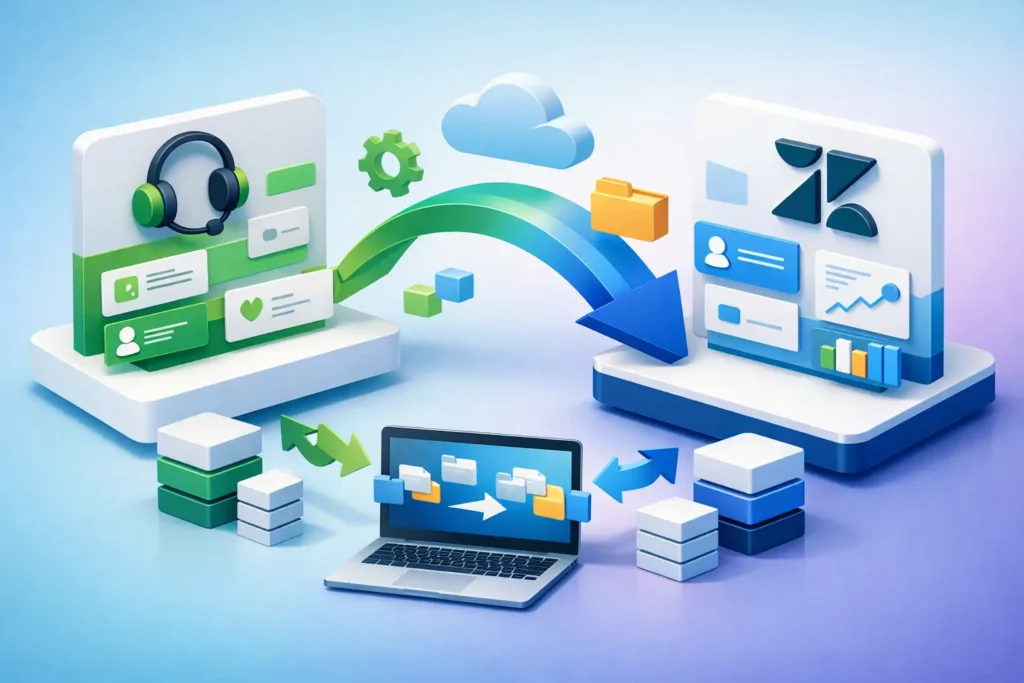
A support platform rarely fails all at once. More often, it erodes slowly – duplicate fields, broken automations, inconsistent routing, unreliable reports, and too much manual work for agents. That is why a Zendesk migration case study matters to operations leaders. The move is not just about getting data from one system into another. It is a chance to fix the service model, reduce complexity, and build a cleaner foundation for growth.
For mid-sized and enterprise teams, the real value of migration is operational. A new Zendesk environment can improve visibility, shorten resolution times, and create better conditions for automation. But that only happens when the migration is treated as a business change, not a file transfer project.
What this Zendesk migration case study shows
Consider a multi-brand support organization with roughly 250 agents across customer care, technical support, and back-office operations. The company had grown through acquisition and was running support across several disconnected tools. Email queues lived in one platform, chat in another, voice reporting in a separate dashboard, and knowledge content was managed informally by individual teams.
Leadership had clear symptoms. First response times were rising. Reporting could not be trusted across channels. Agents were handling too many manual triage steps. Supervisors spent time correcting routing errors instead of managing performance. The organization wanted Zendesk, but not simply as a replacement for the old ticketing tool. The goal was a support architecture that could scale.
The migration program focused on four outcomes: preserve essential historical data, standardize intake and routing, remove workflow noise, and prepare the environment for AI and automation. Those goals shaped every decision.
The starting point: why migration was necessary
The legacy environment had been customized heavily over time. That is common, and it creates a trade-off. Customization can solve local problems quickly, but after a few years it often produces system debt. Teams end up with overlapping fields, triggers that no one owns, and reports built around outdated processes.
In this case, the organization had more than 80 ticket fields, many of them redundant. Several triggers performed similar actions with slight differences by team. Macros were inconsistent, which made agent handling uneven. Historical data quality was mixed because categories had changed repeatedly without governance.
A straight one-to-one migration would have copied those issues into Zendesk. That would have limited the value of the implementation from day one. So the first decision was simple: move what supports future operations, not everything that exists.
Data migration was important, but data selection mattered more
Many teams assume the hardest part of migration is exporting and importing records. Technically, that can be demanding. Operationally, the harder question is what deserves to come forward.
The company chose to migrate a defined set of historical tickets, customer profiles, organization records, SLAs, and core knowledge assets. Older low-value records were archived outside the active service environment. That reduced clutter, improved performance, and made reporting easier to govern.
This is one of the clearest lessons from any Zendesk migration case study. More data is not always better. If migrated history is inconsistent or poorly categorized, it can distort dashboards and confuse agents.
How the migration was structured
The project was divided into discovery, design, build, validation, and rollout. That sounds standard, but the details made the difference.
Discovery centered on workflow mapping rather than feature requests. Instead of asking each team what they wanted in Zendesk, the project team reviewed actual intake paths, escalation patterns, transfer behavior, and reporting requirements. That exposed where process variation was justified and where it was simply drift.
During design, forms were reduced and standardized. Routing logic was rebuilt around business rules that leadership could explain clearly. Views were simplified by role. Knowledge content was reviewed for duplication and ownership. Reporting requirements were narrowed to metrics leaders would actually use.
Build focused on a cleaner Zendesk architecture. Triggers and automations were consolidated. Groups were aligned to service responsibilities. Ticket forms were designed to improve intake quality at the source. Custom fields were retained only when they served routing, reporting, compliance, or a necessary operational step.
Validation included sample migrations, channel testing, workflow testing, and side-by-side report comparisons. This stage often gets rushed. It should not. A migration can look successful technically while failing the people who depend on it every day.
What changed after go-live
The most immediate improvement was routing accuracy. Because intake forms were simplified and rules were redesigned, fewer tickets landed in the wrong queue. That reduced reassignments and shortened time to first meaningful action.
Agent experience improved next. With fewer macros, clearer forms, and more relevant views, agents spent less time interpreting the system and more time resolving issues. That is an overlooked benefit of migration. When the environment becomes easier to use, consistency tends to improve without additional management pressure.
Reporting also became more credible. The organization moved from fragmented operational data to a shared structure with standard definitions. Leaders could compare performance across teams with less manual adjustment. That mattered for staffing, quality reviews, and executive reporting.
The final major change was strategic. The new environment made AI and automation possible in a controlled way. Before migration, automation would have amplified messy inputs. After migration, there was enough process discipline to support smarter routing, chatbot use cases, and improved knowledge deflection.
The trade-offs in a Zendesk migration case study
No migration is pure upside. There are always compromises, and teams that ignore them usually pay later.
Historical completeness is one example. If every old record is brought into Zendesk, users may get continuity, but system complexity can increase. If only selected history is migrated, the environment stays cleaner, but some teams may need access to archived records elsewhere. The right answer depends on reporting needs, audit requirements, and how often agents truly use historical tickets.
Another trade-off is speed versus redesign. A faster migration usually means carrying forward more of the old operating model. A more ambitious redesign delivers greater value but requires stronger decision-making, better testing, and more change management. For organizations already under pressure, that can be difficult.
There is also the question of central governance. Standardization improves scalability, but business units may resist losing local variations. Some variation is legitimate. Different products, regions, or compliance requirements can justify separate workflows. The key is to distinguish necessary variation from inherited noise.
Where migrations usually go wrong
Most migration problems start before data moves. They begin when teams treat Zendesk as a configuration project instead of an operating model project.
One common mistake is migrating bad process logic. If broken triage, duplicate ownership, and unclear escalation rules remain untouched, the new system will only surface those problems more clearly. Another is overbuilding from the start. Teams often try to satisfy every request during implementation, which creates unnecessary complexity before users have even adopted the new environment.
Poor testing is another major risk. A workflow may pass technical validation and still fail operationally if supervisors cannot manage exceptions, reports do not reflect reality, or agents are forced into extra clicks. Testing needs to include real scenarios from real users.
Finally, many teams underinvest in post-launch administration. Migration is not the end state. Once Zendesk is live, there needs to be ownership for governance, reporting refinement, workflow cleanup, and ongoing optimization. Without that, the system starts accumulating the same debt it was meant to remove.
What leaders should take from this
The practical lesson from this Zendesk migration case study is straightforward. A successful migration is less about moving platforms and more about making support operations easier to run. When done well, Zendesk becomes the structure behind cleaner intake, better routing, more reliable reporting, and more useful automation.
That requires discipline at the beginning. Define what should change, what should be preserved, and what should be retired. Keep the architecture simple enough to govern. Build reporting around decisions, not vanity metrics. Only layer in AI once the underlying workflow is stable.
For organizations that have outgrown their current setup, migration is often the right moment to reset. It gives leaders a chance to remove accumulated complexity without disrupting service strategy. Teams that approach it this way typically get more than a new platform. They get a support environment that is easier to manage and better prepared for scale.
If there is one useful closing thought, it is this: the best migration plan is not the one that copies the past most completely. It is the one that makes the next two years easier to operate.